

Here are the most important Instagram settings you should check before posting:
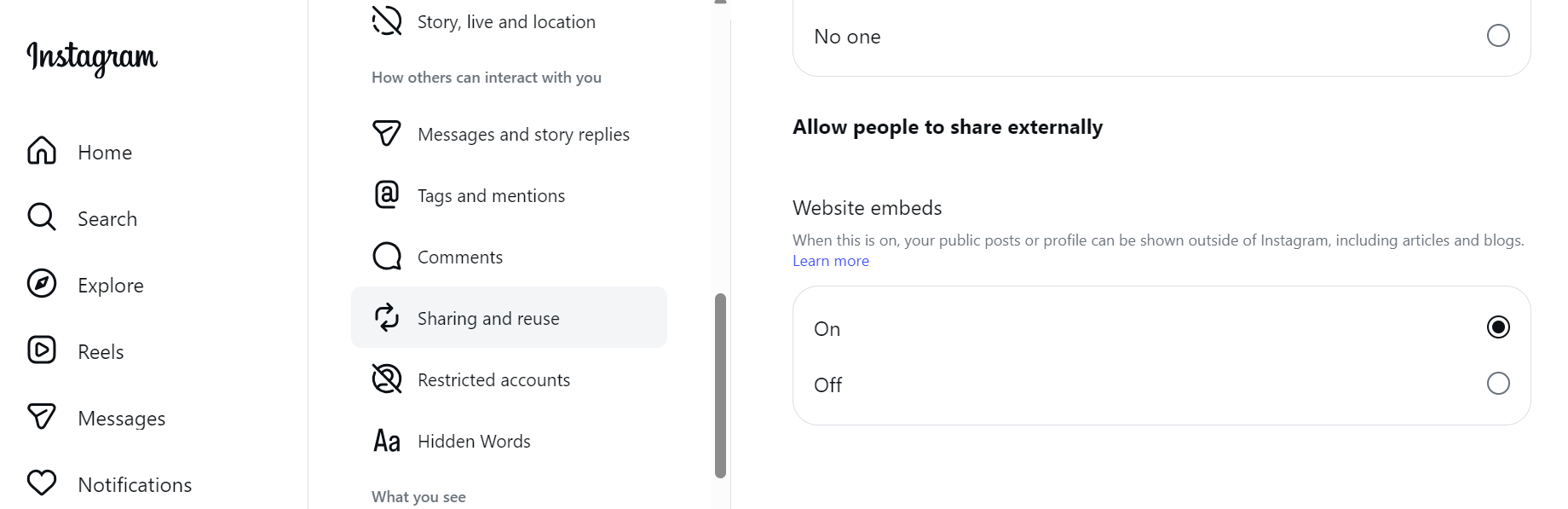
1. Enable Website Embeds (Boost external reach)
Setting and activity → Sharing and Reuse → turn on website embeds.
This allows your posts and reels to be embedded in websites giving you extra exposure outside Instagram, and new organic followers from Google traffic.
2. Keep Your Account Status Clean
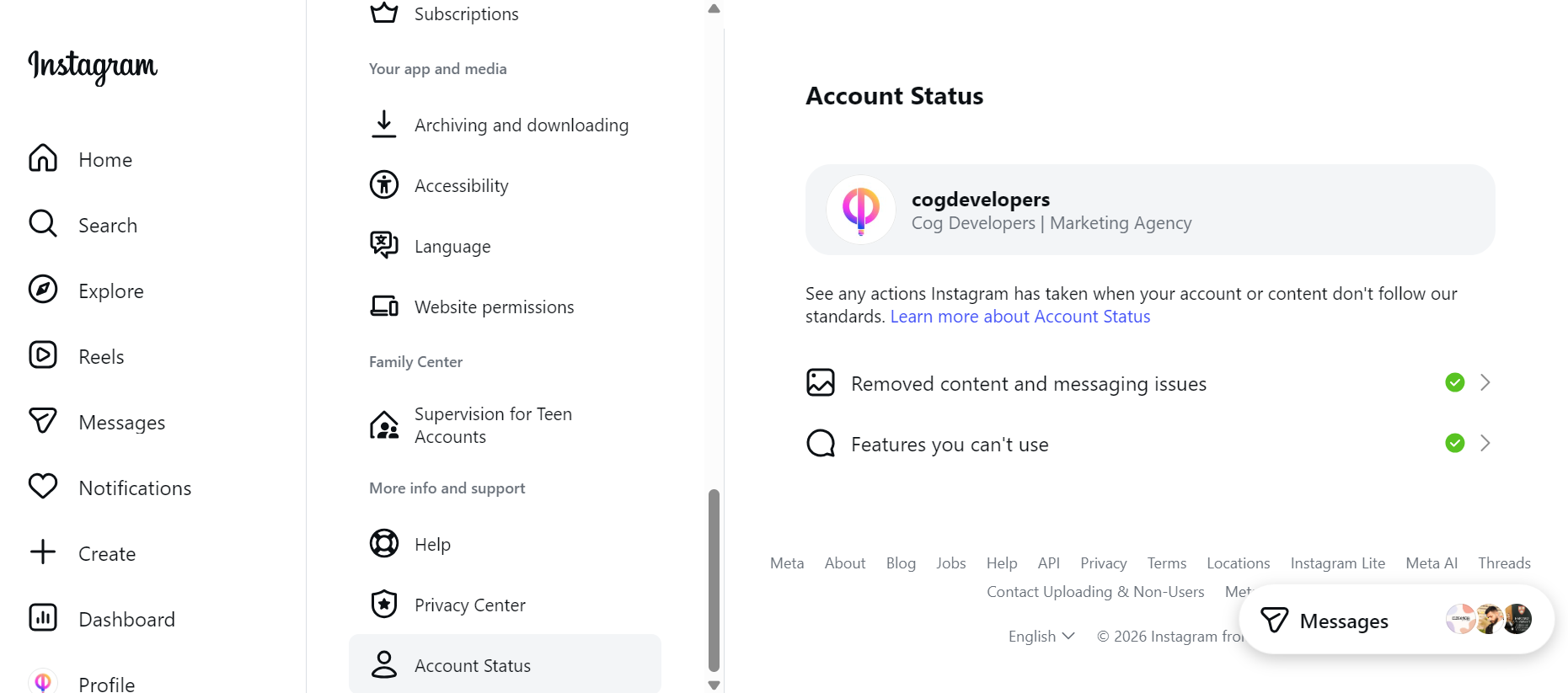
Setting and activity → account status
Make sure every category have the green checkmark
If anything is restricted, your reach will drop dramatically even if your content is good. Fix any violation immediately.
3. Upload in Highest Quality
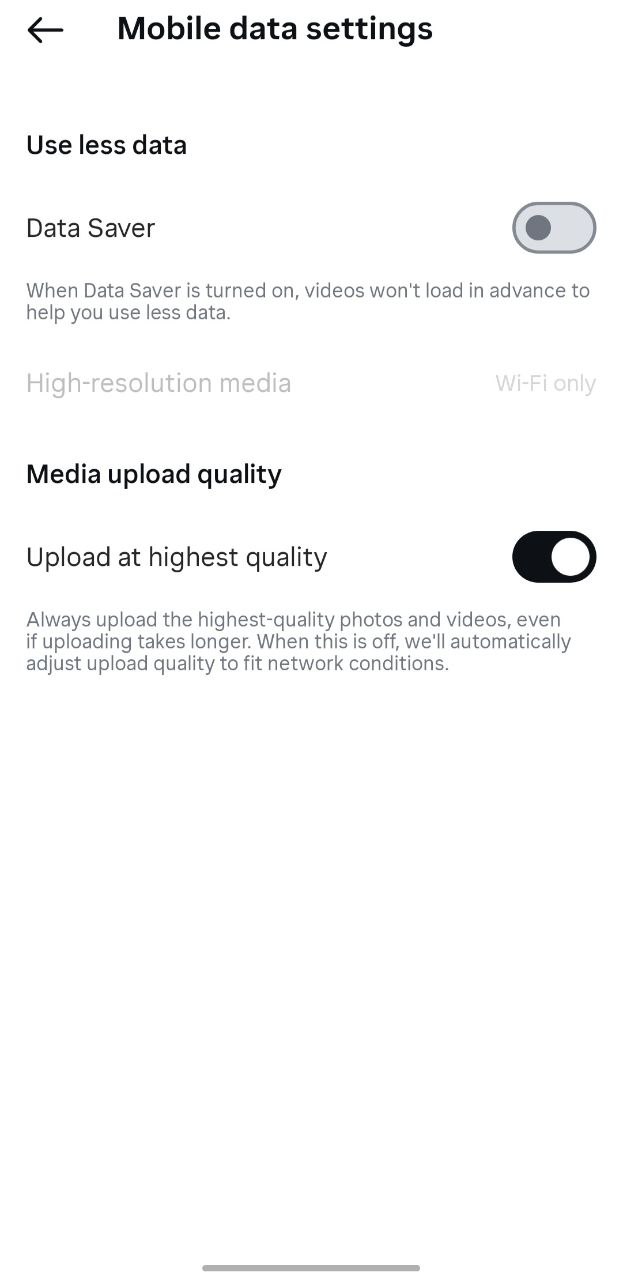
Setting and activity → Media Quality
Turn On:
Upload at highest quality
Turn Off:
Use less cellular data
High resolution videos get better watch time, perform stronger in reels recommendation, and look more professional to new viewers.
4. Enable Captions and Translation on Every Reel
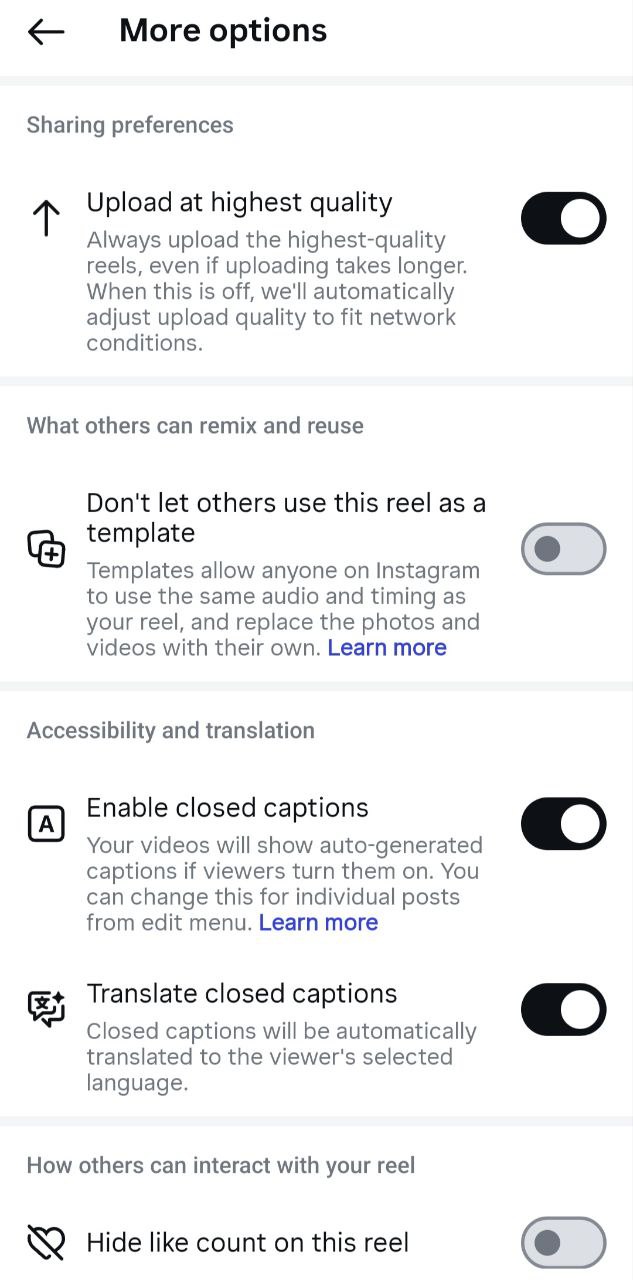
Before posting any reel tap More Options → Turn on:
Enable closed captions
Translate closed captions
This matters because many users watch without sound, captions increase watch time, and translation helps your content reach international audience.
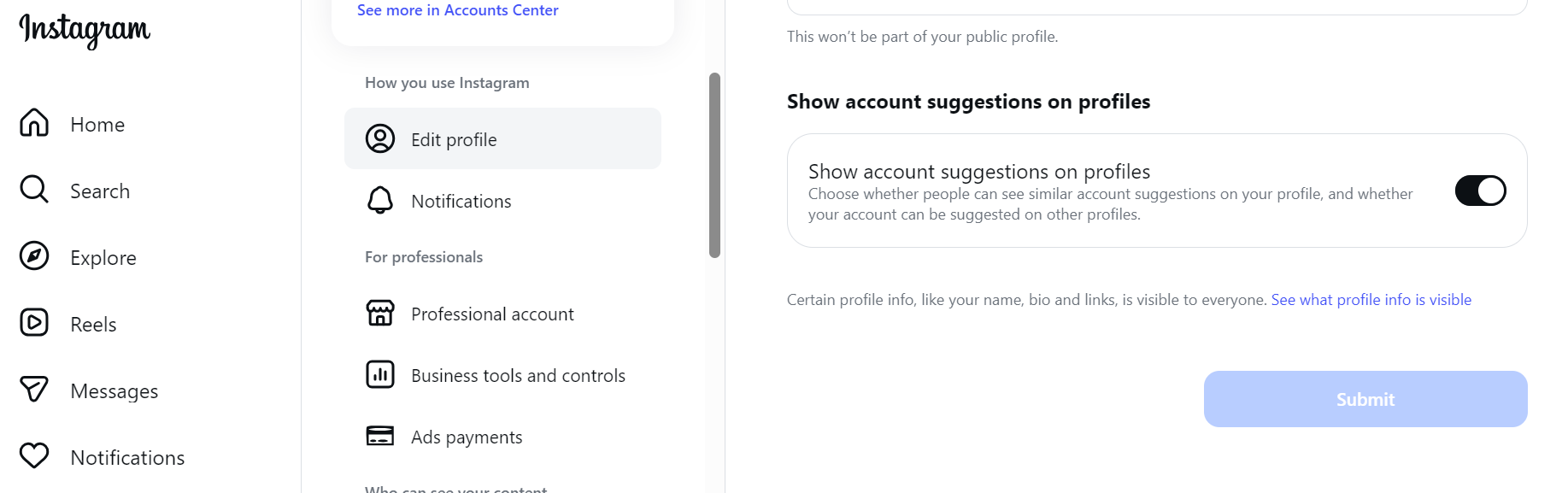
5. Show Account Suggestions on Profile
From your desktop:
Click edit profile → Turn on: Show account suggestions on profile
This allows Instagram to recommend your account to visitors viewing similar accounts.
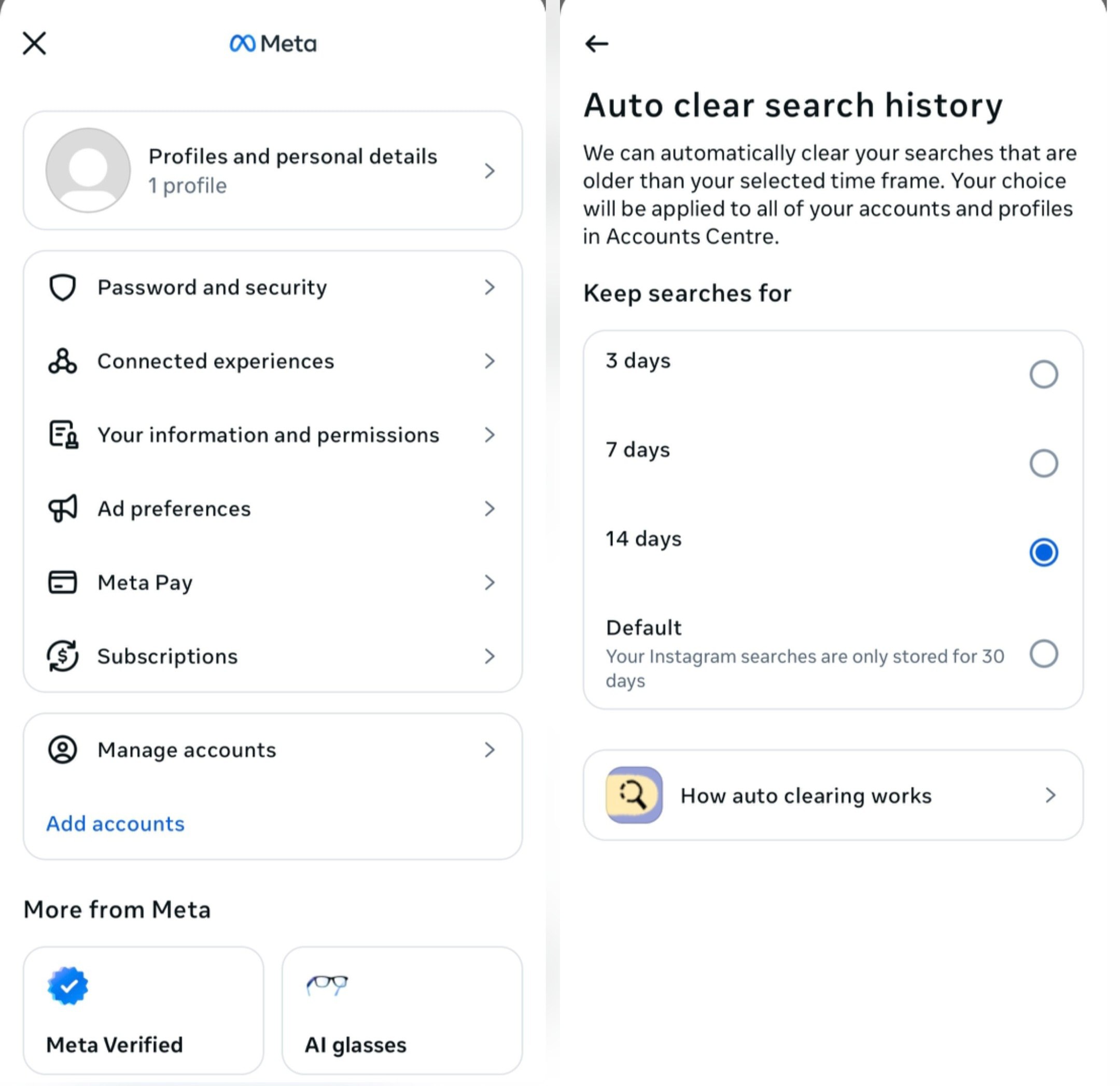
6. Set Search History Retention to 14 Days
Account center → Your information and permissions → Search History → Keep searches for → 14 days
This helps Instagram better understand your interests and niche, therefore improving how your content is categorized and recommended.
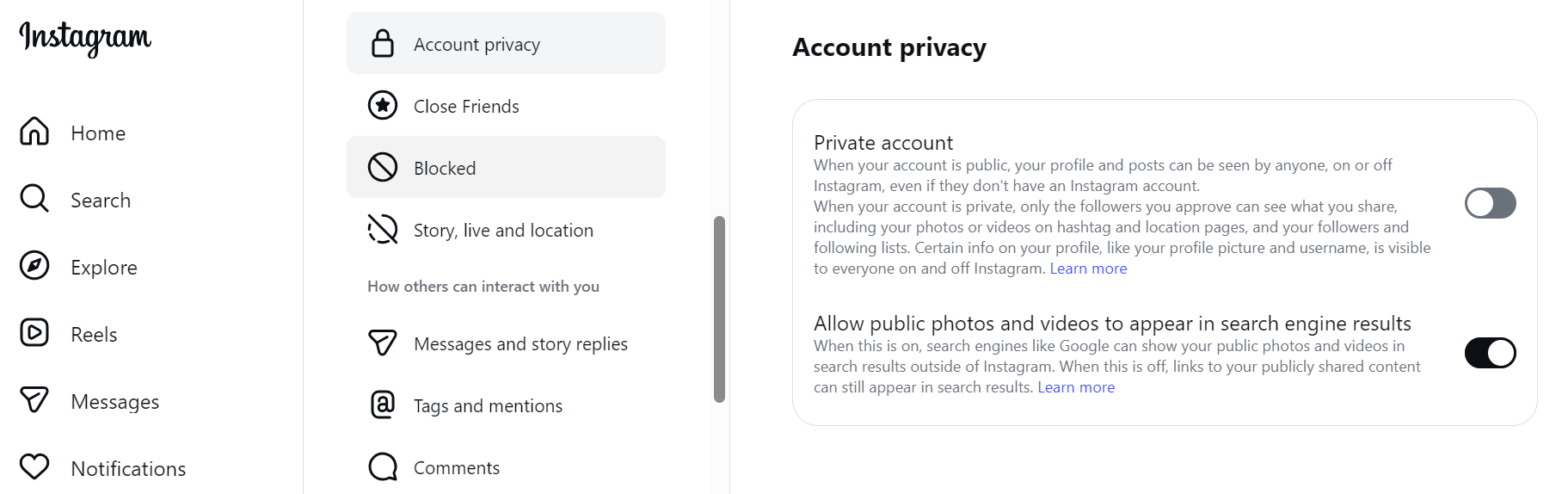
7. Allow Search Engines to Index Your Profile
Account privacy → Enable Allow public photos and videos to appear in search engine results.
This allows your profile and posts to appear on Google, Bing, and other search engines, leading to increased free traffic outside Instagram.
Final Tip
Instagram in 2026 is more competitive than ever. Change these 7 settings to increase reach, improve SEO, and attract followers automatically. And don't forget, these settings changes can unlock massive reach when combined with consistent, high-quality content.